
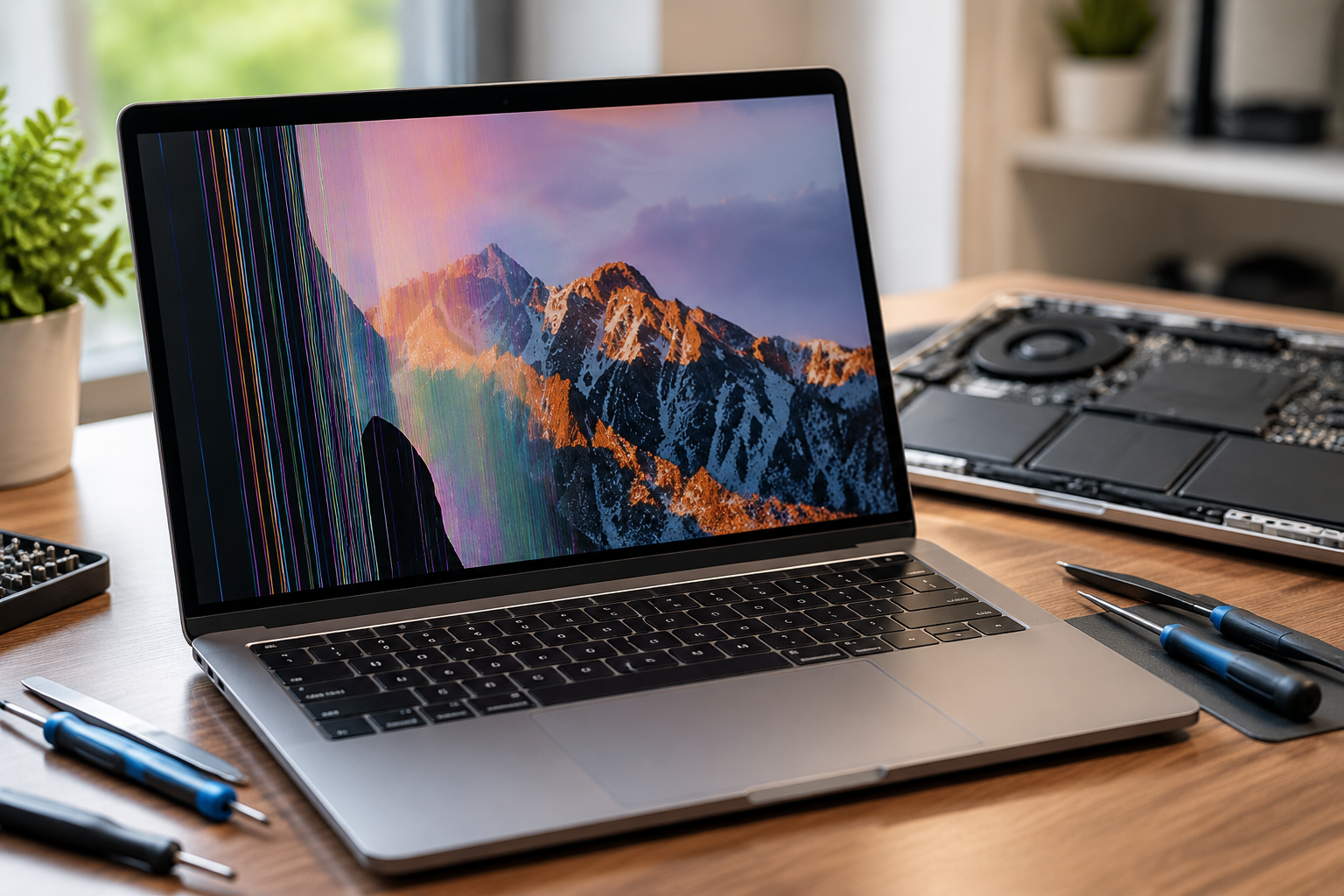
A MacBook Pro is built to handle demanding tasks, from professional video editing and graphic design to software development and everyday productivity. However, like any electronic device, it is not immune to heat-related problems. When your MacBook Pro is exposed to excessive heat for long periods, the display can start showing warning signs such as flickering, discoloration, black spots, or even complete screen failure.
A heat damaged MacBook Pro screen repair is not always as simple as replacing a display. In many cases, the underlying cause of overheating must be identified first to prevent the same issue from happening again. Understanding the causes, symptoms, repair options, and prevention methods can help you make the right decision when your MacBook Pro screen starts acting unusually.
What Causes Heat Damage to a MacBook Pro Screen?
Heat damage usually develops when your MacBook Pro operates at high temperatures for extended periods. While Apple devices include built-in cooling systems, constant overheating can eventually affect sensitive internal components, including the display assembly.
One of the most common causes is heavy workload. Running demanding applications such as video editing software, 3D rendering programs, virtual machines, or high-performance games can push the processor and graphics system harder, generating more heat than normal.
Other common causes include:
- Blocked ventilation and poor airflow: Using your MacBook Pro on soft surfaces like beds, blankets, or cushions can restrict airflow and trap heat around the device.
- Dust accumulation: Over time, dust can build up around fans and internal cooling areas, reducing the device’s ability to release heat.
- Extreme temperatures: Leaving your MacBook Pro inside a hot vehicle, near direct sunlight, or in a poorly ventilated area can expose the screen and internal parts to harmful temperatures.
- Battery or hardware issues: A failing battery or damaged internal component can produce excessive heat and affect nearby display components.
In many cases, the screen itself may not be the original source of the problem. The heat generated by other internal components can gradually impact display performance.
Heat Damage MacBook Pro Screen: Signs Your Display May Be Affected
If you are experiencing display issues, it is important to identify whether heat is the cause. A heat damaged MacBook Pro screen often shows specific symptoms that are different from normal software problems.
Screen Flickering or Random Display Changes
One of the earliest signs of overheating-related display problems is screen flickering. You may notice brightness changes, flashing images, or temporary display interruptions, especially when your MacBook Pro becomes hot during use.
While occasional software glitches can also cause flickering, repeated issues that appear after extended usage may indicate a hardware-related heat problem.
Discoloration or Yellow Tint on the Display
Excessive heat can affect the layers inside the display panel. Some users notice unusual color changes, including yellow tinting, uneven brightness, or areas of the screen appearing different from the rest.
If the colors do not return to normal after restarting the device or allowing it to cool, the display may have suffered permanent damage.
Black Spots, Dead Pixels, or Dark Areas
Heat exposure can damage parts of the display panel, resulting in black spots or dead pixels. These issues usually appear as small dark areas that remain visible regardless of what is displayed on the screen.
Unfortunately, physical damage to pixels is rarely fixed through software adjustments and may require professional display replacement.
Horizontal or Vertical Lines Appearing on the Screen
Lines appearing across your MacBook Pro display can be caused by several issues, including overheating. Excessive temperatures may affect display connections, internal components, or the screen panel itself.
A technician can determine whether the issue is related to heat damage, a loose connection, or another hardware failure.
Complete Screen Failure
In severe cases, your MacBook Pro may turn on normally while the display remains black or unusable. This can happen when heat damages important display components or related hardware.
Before replacing the screen, a proper diagnosis is necessary because the problem may involve other internal parts.
Can Heat Damage a MacBook Pro Screen Permanently?
Many users wonder if cooling down an overheated MacBook Pro can restore the display. In some situations, temporary display problems may disappear once the device returns to a normal temperature.
However, permanent damage is possible when high heat affects the physical structure of the display panel, internal connectors, or electronic components. A screen that continues showing lines, discoloration, or dead areas after cooling usually requires professional attention.
The key is identifying the cause early. Ignoring overheating issues can lead to additional damage beyond the display.
How Professionals Diagnose a Heat Damaged MacBook Pro Screen
Before starting any repair, experienced technicians usually perform a complete inspection. A proper diagnosis helps determine whether the issue is actually caused by heat or another hardware problem.
The repair process may include:
- Testing the display for flickering, brightness issues, and color problems.
- Checking internal temperature levels and cooling performance.
- Inspecting fans, vents, battery condition, and internal components.
- Examining display cables and connectors.
- Determining whether the screen requires repair or replacement.
This detailed approach prevents unnecessary repairs and ensures the actual cause of the problem is addressed.
Heat Damaged MacBook Pro Screen Repair Options
The right repair solution depends on how severe the damage is. Not every overheating issue requires a complete screen replacement.
Cooling and System Checks for Minor Heat Issues
If the display problem is caused by overheating rather than physical screen damage, simple maintenance may help. Cleaning internal dust, improving airflow, and checking system performance can reduce heat levels.
Updating macOS and monitoring applications that consume excessive resources can also help prevent future overheating.
Display Connector and Internal Component Repair
Sometimes heat affects internal connections rather than the display panel itself. In these cases, repairing or replacing damaged connectors may restore normal screen performance.
Because MacBook Pro components are compact and delicate, professional repair is recommended to avoid causing further damage.
MacBook Pro Screen Replacement
When the display panel has permanent heat damage, replacement is usually the most reliable solution. A damaged screen with severe discoloration, dead pixels, or complete failure often cannot be repaired internally.
The replacement process depends on your MacBook Pro model, screen type, and availability of compatible parts.
How Much Does Heat Damage MacBook Pro Screen Repair Cost?
The cost of repairing a heat damaged MacBook Pro screen depends on several factors.
Important factors include:
- The MacBook Pro model and year.
- The extent of display damage.
- Whether only the screen or additional components need replacement.
- The type and quality of replacement parts used.
- The repair provider’s experience and service quality.
A professional diagnosis before repair can help you avoid spending money on unnecessary replacements.
Heat Damage vs Normal MacBook Pro Screen Problems: How to Tell the Difference
Not every screen problem is caused by heat. Similar symptoms can occur due to other issues.
For example:
- Software errors may cause temporary display glitches.
- Physical drops can damage the screen panel.
- Liquid exposure can affect internal circuits.
- Graphics-related hardware problems may create display abnormalities.
Because different problems require different solutions, proper testing is the best way to identify the real cause.
How to Prevent Heat Damage to Your MacBook Pro Screen
Preventing overheating is much easier than dealing with expensive repairs. A few simple habits can protect your MacBook Pro display and internal components.
Follow these tips:
- Avoid placing your MacBook Pro on soft surfaces that block airflow.
- Keep vents clean and free from dust.
- Do not leave your laptop in direct sunlight or hot environments.
- Use your device on a flat, hard surface.
- Avoid running too many demanding applications at the same time.
- Pay attention to unusual fan noise or excessive heat.
- Keep your operating system updated.
Regular maintenance can significantly reduce the chances of heat-related display problems.
Is It Better to Repair or Replace a Heat-Damaged MacBook Pro Screen?
The decision between repair and replacement depends on your device’s condition. If your MacBook Pro is relatively new and the damage is limited, repairing the display may be worthwhile.
For older models, the repair cost should be compared with the current value of the laptop. A professional technician can help you understand whether replacing the screen is a smart investment.
Choosing the Right Repair Service for a Heat Damaged MacBook Pro Screen
Choosing an experienced repair provider is important because MacBook Pro displays are complex and expensive components.
Look for a repair service that offers:
- Experience with MacBook Pro screen repairs.
- Proper diagnostic testing.
- Quality replacement parts.
- Clear pricing before starting work.
- Warranty or service support.
A reliable technician will not only fix the damaged screen but also check the reason behind the overheating to help prevent future problems.